CompanionForge gives you a talking companion for World of Warcraft. They hear you, follow your game, cheer your level-ups and mock your deaths, in their own voice. Right on your screen, over the game, or on your stream, where your chat can talk to them too.
Windows 10/11 · World of Warcraft · on your own screen, or on your stream in any streaming app with a browser source

Your companion is a 3D character in a corner of your screen or your stream, talks when you talk to them and speaks up on their own when something happens in the game.
Hold a key and ask. "What should I do next?", "Where is the flight master?", "Rate my outfit." They answer out loud in about a second, with subtitles.
A small addon passes on your zone, quests, target, health, gold and level, so your companion knows what you are up to without you saying it.
Level-ups, deaths, epic drops, mounting up, swimming, a big payday. Hundreds of built-in lines for the open world and the cities.
Viewers can talk to your companion in Twitch chat and get answers on stream, with limits you set so your companion never takes over.
Your character, your deaths, the running jokes. Next stream your companion still knows the gnome who ganked you.
Pick a name, a voice and one of five personalities, and tune how they act. They learn what you like as you play. With Premium you can write their whole personality in your own words.
No stream needed: your companion shows up over the game in a see-through window. Clicks go straight through to the game, and nothing is added to the game.
"Mankrik", "Samophlange", "Camp Taurajo": the names from your game are passed to speech recognition, so they come out spelled right.
32 languages: your companion answers in the one you speak, and the built-in lines come translated too, with the game's own names.
With an expressive voice your companion laughs at the joke, sighs at your death, shouts a warning and whispers a secret.
OpenRouter, OpenAI, Anthropic or Google Gemini, with your own key. We test them and say which we recommend.
Pick one and you are live in minutes. They are free to use on stream (see the credits). With Premium you can also import your own model (VRM, GLB or glTF).


Everything is in the settings window: no command line, no editing text files.

Preview every avatar, see which moods it can act out, and place your companion on your stream with the mouse.
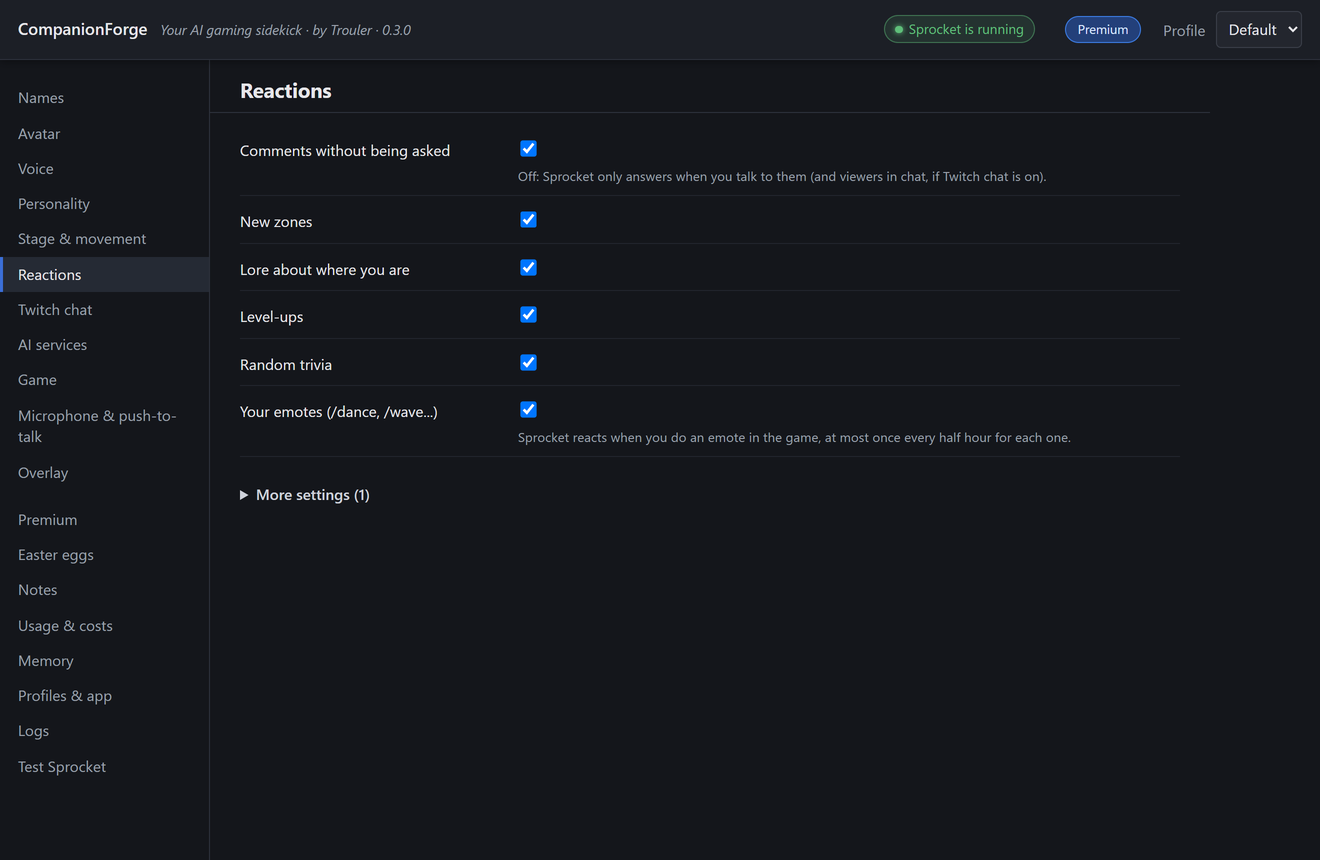
Switch reaction groups on and off and set how chatty your companion is, so they fit your stream instead of talking over it.
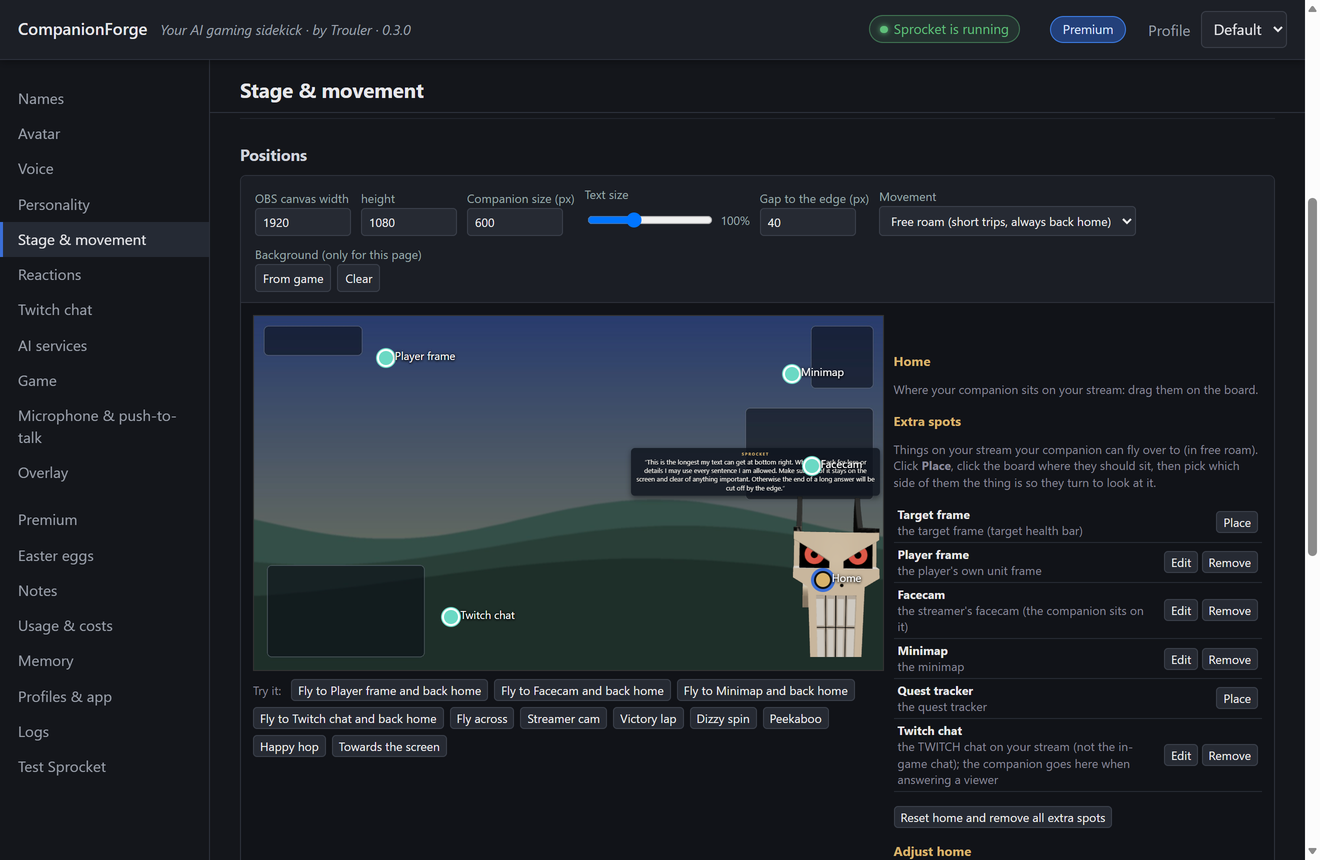
Fly-bys, peekaboos and wandering around the screen. On Free they stay in their home spot.
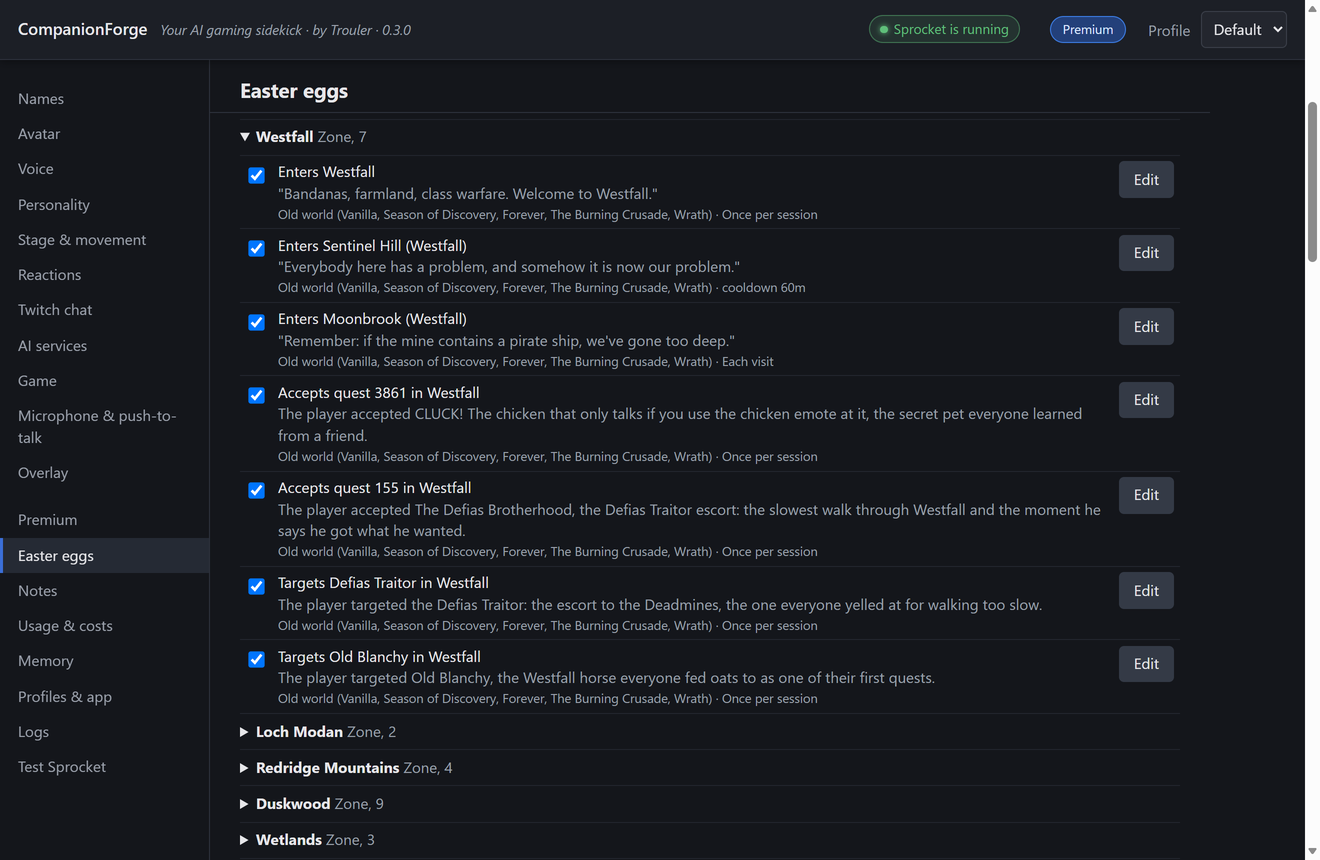
"When I say X, my companion says Y." Inside jokes for your community, shareable with other streamers.
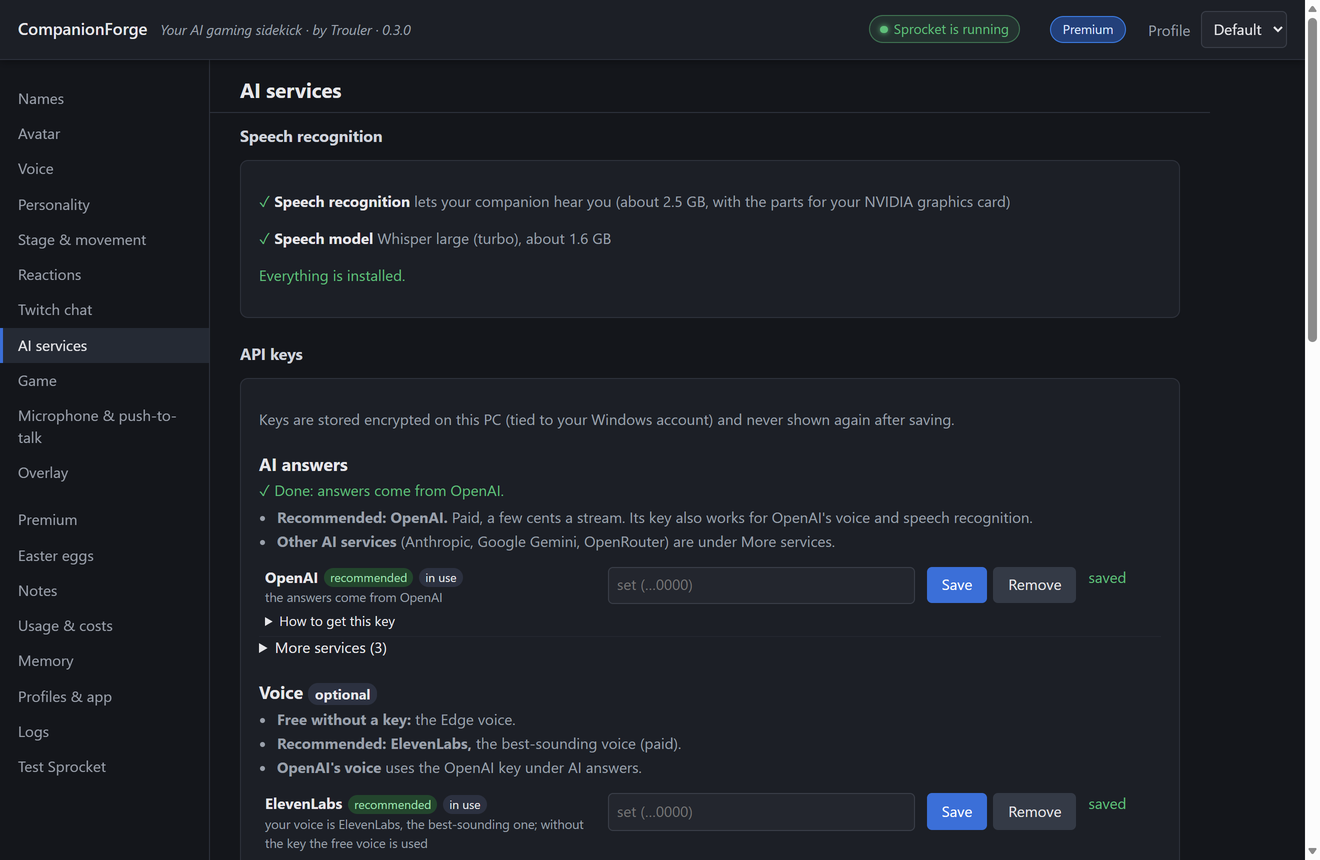
Plug in a key for the AI service you like. Only one is required, and the setup tells you what each one costs.
The Free version is a full companion, not a demo. Premium adds the things that make your companion a co-host.
| Feature | Free | Premium |
|---|---|---|
| Talks with you and answers out loud, with subtitles, in 32 languages | ✓ | ✓ |
| Any AI and voice service with your own keys | ✓ | ✓ |
| On your own screen, over the game (no streaming app needed) | ✓ | ✓ |
| Follows your game: zones, quests, target, level, deaths | ✓ | ✓ |
| Built-in reactions for the open world and cities, and a taste of the easter eggs | ✓ | ✓ |
| The avatars that come with the app | ✓ | ✓ |
| A home spot anywhere on your screen or stream | ✓ | ✓ |
| Five personalities to start from, and settings for how they act | ✓ | ✓ |
| Follows your leveling guide (RestedXP's free guides or your own, and Ziro Guide) and says what to do next | ✓ | ✓ |
| Push-to-talk, or just say their name | ✓ | ✓ |
| Answers Twitch chat | – | ✓ |
| Remembers you between streams: what they learn about you, running jokes, nemeses | – | ✓ |
| Flies around: trips to spots you place, stunts (your chat, facecam, target frame) | – | ✓ |
| Looks at your screen and looks things up on the web | – | ✓ |
| Dungeon and raid lines, and reactions to your emotes | – | ✓ |
| All the built-in easter eggs | – | ✓ |
| Your own easter eggs, and sharing packs with friends | – | ✓ |
| Your own avatar: import any model, add your own parts to it, and share it with friends | – | ✓ |
| A different mood each stream: cheerful, grumpy, sleepy, out for revenge... | – | ✓ |
| More than one profile: another character, layout or personality, each with its own memory | – | ✓ |
| Your own personality texts: write your companion's whole personality in your own words | – | ✓ |
| No CompanionForge mark on stream | – | ✓ |
CompanionForge works like other popular World of Warcraft companion apps. Its addon uses only Blizzard's normal addon interface and shows what it reads as a small strip of coloured pixels, which the app reads from your screen. The app never touches the game's memory, never sends keys or clicks and never plays for you, and in a fight your companion only cheers: they never tell you what to press. On your own screen they are an ordinary see-through window of the app; nothing is injected into the game. Blizzard does not certify any third-party program, so, as with every addon and companion app, you decide whether to use it.
Any version of World of Warcraft.
32: English, Arabic, Bulgarian, Chinese, Croatian, Czech, Danish, Dutch, Filipino, Finnish, French, German, Greek, Hindi, Hungarian, Indonesian, Italian, Japanese, Korean, Malay, Norwegian, Polish, Portuguese, Romanian, Russian, Slovak, Spanish, Swedish, Tamil, Turkish, Ukrainian and Vietnamese. Your companion answers in the one you speak, and its built-in lines come translated. The translations are made with AI, so some may sound a little off; the settings window is in English for now.
No. Your companion talks with you while you play, streaming or not, and can show up right on your screen over the game (World of Warcraft in Windowed (Fullscreen) mode). To put them on a stream, any streaming app that can show a browser source works: OBS Studio, Streamlabs, Meld and others.
That depends on the service you pick and how much your companion talks. The setup shows what each service costs, and our test results under the model list compare them.
Your keys, memory and settings stay on your PC, in their own folder (%LOCALAPPDATA%\CompanionForge) that updates and uninstalling never touch. What your companion needs to answer goes straight from your PC to the AI service you chose, under your own account. We do not receive it. See the privacy policy.
Your companion goes back to Free. Nothing is deleted: your memory, easter eggs, profiles, own avatars and own personality texts stay saved and come back when you resubscribe. Until then your companion starts out as one of the five built-in personalities.
The free guides that come with RestedXP, guides you wrote yourself or saved as a file, and Ziro Guide: it follows the step you have open and answers "where do I go next?". Guides bought from RestedXP are protected inside RestedXP, so it cannot read those. CompanionForge is not affiliated with or endorsed by RXP Media or Ziro Guide.
Yes, with Premium. Import a GLB or glTF model on the Avatar page; it shows which moods and mouth movements the model supports. Only use models you have the rights to show on stream.
 CompanionForge